
Features | Support
The Sentinel DAC – Support
User Manuals:
System Setup:
Network Renderer:
USB Inputs:

DC Umbilical Cable Lengths
The DC umbilical cables required to connect the Sentinel Converter to the Sentinel Powerbase come in a variety of lengths. The table below depicts the maximum distance the two units can be separated using each length of DC umbilical cable.
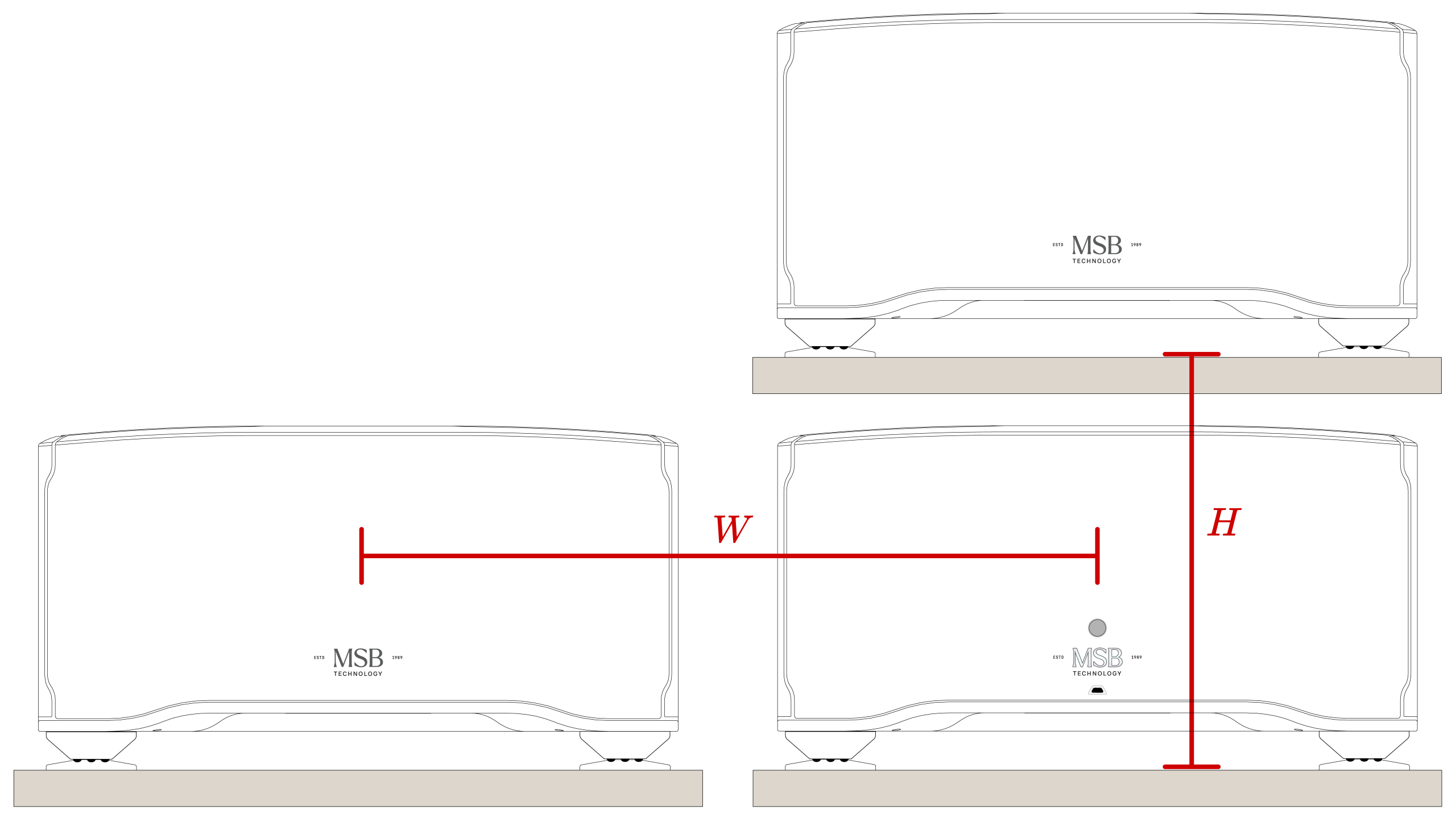
Cable Length | Max Vertical Spacing (H) | Max Horizontal Spacing (W) |
|---|---|---|
Airflow and Shelf Spacing
The Sentinel System is extremely high-powered compared to other DACs. These units must be placed in a well-ventilated space and out of direct sunlight. In hotter climates, air conditioning will help extend the life of electrical components. The Sentinel DAC will not be stackable. Each unit will require its own shelf or surface with at least 3" of clearance above and 2" of clearance to the sides to allow airflow. All enclosures must be open air or forced ventilation.
Sentinel Chassis Dimensions
Chassis | Weight | Width x Depth x Height |
|---|---|---|
21kgs | 444.5mm x 419.1mm x 108mm |
|
41.3kgs | 444.5mm x 419.1mm x 239.6mm |
|
53.3kgs | 444.5mm x 419.1mm x 239.6mm |
Firmware:
When do I need a Firmware update?
*** If an MSB Network Renderer is installed and has an active internet connection, The module firmware will update automatically, but it WILL NOT update your DAC firmware. This must still be down manually using the files below.***
DAC firmware updates offer both corrections of problems we found and performance improvements. We recommend keeping your DAC Firmware up to date. You can check the current version of Firmware installed by following these steps:
-
- Press the menu button on the front of the unit (The button marked with three lines)
- Turn the volume knob until “Software” is displayed (This screen will display the currently installed revision number of firmware)
- Compare this number with the revision number listed below. If it do not match, Please update your unit.
Firmware Update Instructions
These are instructions for updating the firmware in both your Cascade DAC.
Begin by downloading the DAC firmware. Add the file to your bit perfect playback software. Please note, it must be played by a bit perfect source, if the update fails, it is not being played bit perfect. This update includes two upgrades within the same file. The file is several minutes long. Please do not interrupt the process and let the file finish to the end. When you play the file you will hear instructions and two upgrade tones. Following each tone you will either hear silence for about 30 seconds (this varies) or you will hear the message ‘upgrade failed’. If all the upgrades fail, it is because you did not play the file bit-perfect. You may have computer upsampling on or digital volume control somewhere in your playback system. The screen on the DAC will confirm when the upgrade is happening. Contact MSB if you need help.

The Sentinel DAC – Firmware Update
Version 1.0.1.0 released 02/23/26
Original release firmware.
(click icon or link to download)
No current firmware download avialable
Firmware 1.0.1.0 | Hardware 2.0.1.1
This is the original firmware and hardware for the Sentinel DAC.Swapping Input and Output Modules
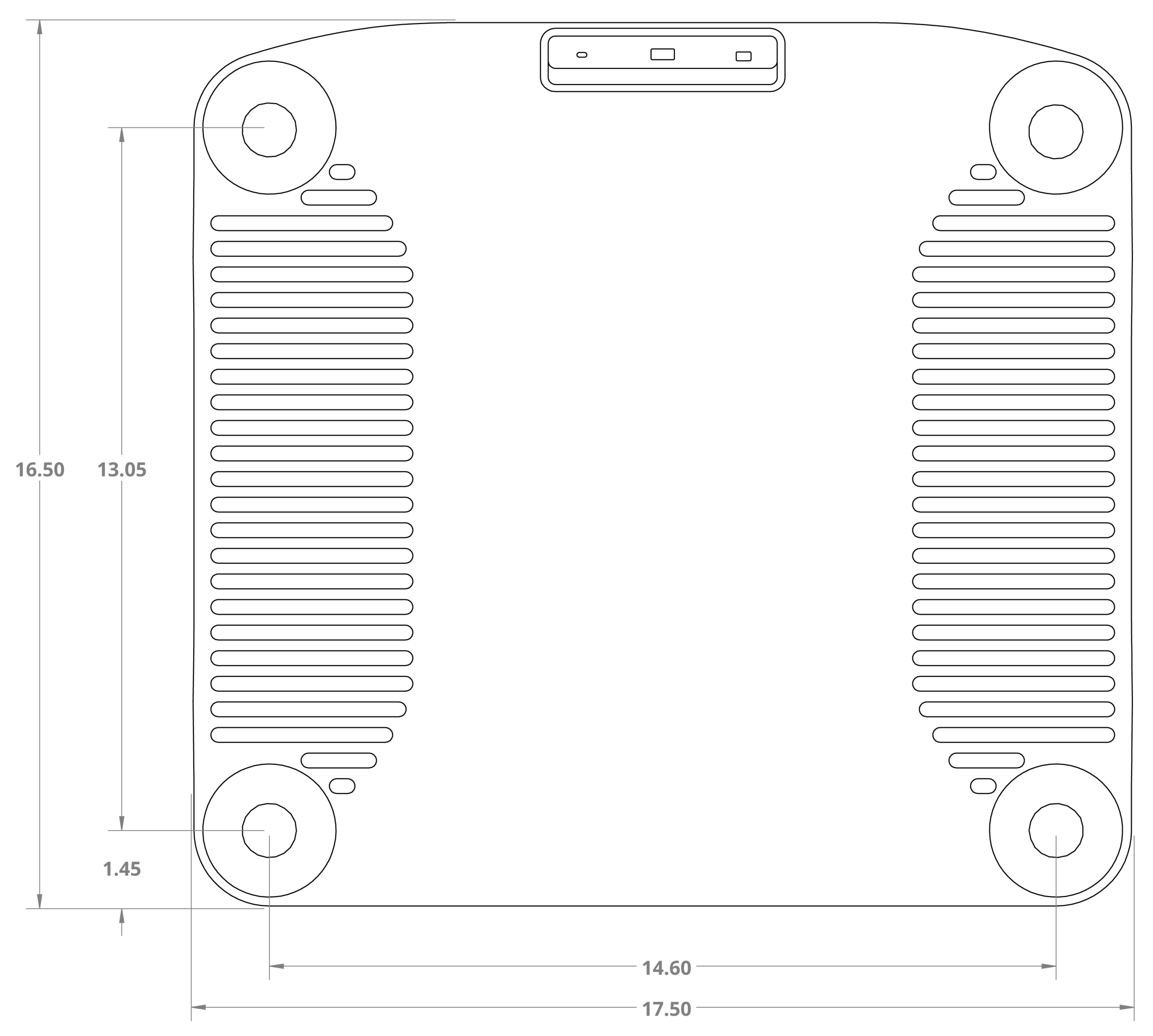
The Sentinel DAC Foot Dimensions